
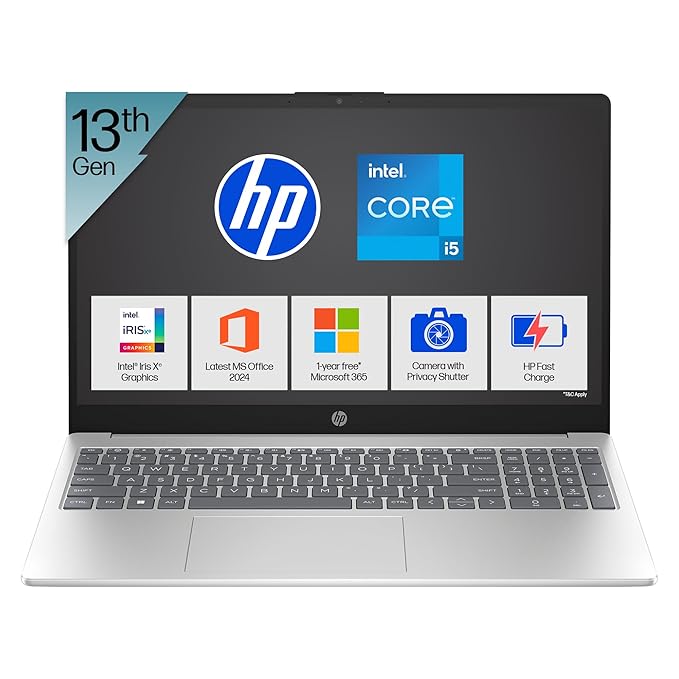
【10-core 13th Gen Intel Core i5-1334U superior performance optimized for efficiency. Its 12 threads, and 12MB L3 cache offer smooth multitasking and quick response times【Longer streaming time】Dynamic visuals with Intel Iris Xe Graphics, perfect for casual gaming and streaming your favourite shows in HD.
Full HD Anti-Glare Screen – Description
A Full HD Anti-Glare screen combines sharp visual clarity with improved usability in various lighting conditions. It is a display technology commonly found in modern laptops, monitors, and all-in-one PCs, particularly favored for productivity, multimedia, and casual gaming.
🔍 1. Full HD Resolution (1920 x 1080 pixels)
Full HD (FHD) refers to a screen resolution of 1920 x 1080 pixels, offering over 2 million pixels in total. This resolution provides:
-
Sharp image clarity
-
Crisp text rendering for reading and writing
-
Enhanced video playback quality for streaming platforms like Netflix, YouTube, and Prime Video
-
Better workspace for multitasking (more screen real estate)
Whether you’re editing documents, browsing the web, watching movies, or working with spreadsheets, a Full HD display delivers consistent and reliable visuals.
🌤️ 2. Anti-Glare Coating (Matte Finish)
The anti-glare (AG) coating, also known as a matte finish, is designed to reduce screen reflections caused by ambient light, such as sunlight, ceiling lights, or desk lamps. This results in:
-
Less eye strain during extended use
-
Improved outdoor usability
-
Fewer distractions from glare or reflections
-
Consistent visibility across various lighting conditions
In contrast to glossy screens—which offer richer color vibrancy but are highly reflective—anti-glare displays are optimized for productivity and professional use, particularly in bright environments.
👁️🗨️ 3. Eye Comfort and Health
Anti-glare screens are engineered to reduce visual fatigue, especially in prolonged use scenarios such as:
-
Remote work
-
Online learning
-
Coding
-
Office tasks
Combined with Full HD clarity, anti-glare displays ensure that text and images remain legible and comfortable to view even after hours of continuous use.
Some models also come with Low Blue Light and Flicker-Free technologies to further enhance eye comfort.
🎨 4. Visual Quality and Color Accuracy
While anti-glare coatings may slightly reduce color contrast compared to glossy screens, modern panels have improved significantly and now deliver:
-
Good color reproduction (especially in IPS panels)
-
Wide viewing angles without color distortion
-
Balanced brightness levels (typically 250 to 300 nits for standard laptops)
These qualities make Full HD anti-glare screens suitable for casual content creation, photo viewing, and general media consumption.
🔧 5. Practical Applications
In Education:
-
Clear screen for e-books, research, and typing
-
Less strain during long online lectures
In Business:
-
Suitable for open-plan offices with strong overhead lighting
-
Ideal for presentations and video calls
In Home Use:
-
Comfortable browsing, reading, and streaming
-
No annoying reflections from indoor lighting or nearby windows
For Creatives:
-
Accurate enough for basic graphic design, video editing, and digital art
-
Easily pairs with external monitors for dual-screen setups
🧩 6. Panel Technologies and Enhancements
Most Full HD anti-glare screens are built using IPS (In-Plane Switching) technology, which provides:
-
Wide viewing angles (up to 178°)
-
Good color consistency
-
Better overall user experience than TN panels
Some newer models also offer:
-
Adaptive brightness based on ambient lighting
-
Touchscreen support with matte finishes
-
Anti-fingerprint coatings
⚖️ 7. Pros and Cons of Anti-Glare Full HD Screens
✅ Pros:
-
Sharp Full HD resolution enhances visual clarity
-
Anti-glare surface minimizes reflections and boosts readability
-
Excellent for office, study, and general use
-
Reduces eye strain over long periods
-
Works well in bright environments
❌ Cons:
-
Slightly duller colors compared to glossy screens
-
Not ideal for color-critical work (e.g., high-end photo editing)
-
Lower brightness levels in budget models
🔋 8. Battery and Power Efficiency
Since anti-glare screens reduce the need for maximum brightness, they often contribute to better battery efficiency. Users don’t need to turn the brightness up to combat reflections, which can extend usage times on laptops.
🌐 9. Market Popularity and Use Cases
Full HD Anti-Glare displays are the industry standard in:
-
Business-class laptops (HP, Dell, Lenovo ThinkPad)
-
Educational Chromebooks
-
Mid-range ultrabooks
-
Entry-level gaming laptops
They strike a perfect balance between performance, cost, and comfort, making them highly popular in the ₹40,000 – ₹70,000 price range in India and globally.
💡 10. Buying Considerations
When choosing a laptop or monitor with a Full HD anti-glare screen, consider:
-
Brightness (in nits) – aim for at least 250 nits for indoor use
-
Panel type – IPS is preferred for better visuals
-
Color gamut (sRGB coverage) – useful for creators
-
Blue light reduction features – important for eye health
-
Touchscreen compatibility – available in some matte finish models
🏁 Conclusion
A Full HD anti-glare screen is an excellent choice for users seeking visual clarity, comfort, and versatility in various environments. Whether you’re working from home, attending virtual classes, or just watching your favorite shows, this display technology ensures a glare-free, fatigue-reducing experience without compromising on quality.
If you’re considering a laptop like the HP 15 fd0467tu, the Full HD anti-glare screen is one of its strongest features—offering a refined viewing experience at an accessible price point.
Would you like me to expand this into a 2500-word article or help format it for a blog or report?


Reviews
There are no reviews yet.